
 Home
HomeHow to use the ban panel
Page 1 of 1

 How to use the ban panel
 by Luky Sun 1 Nov - 13:29
| How to use the ban panel |
Presentation The new panel for banning gives admins the ability to ban members based on 3 criteria : the username / e-mail / IP address and specifying in advance a date to unban. On that date, the member is automatically unbanned. This panel also allows access to all the banned members with the option to unban members individually or in mass. How does it works? You simply visit it: Admin Panel > Users & Groups > Users > Ban control 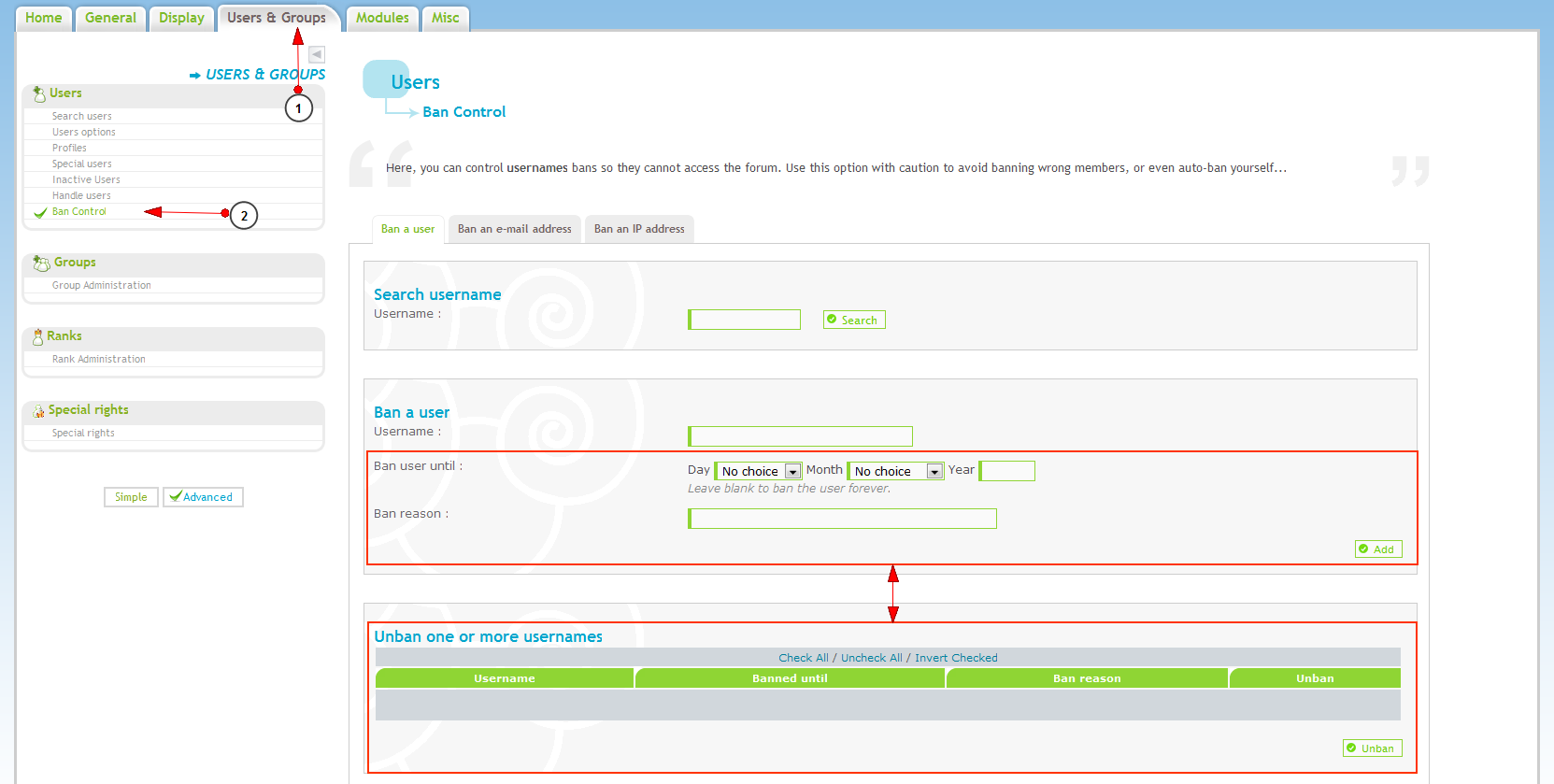 The feature is separated into 3 tabs: - Ban a user - Ban an e-mail address - Ban an IP address Using these tabs you can manage bans via the username, e-mail and IP address. The interface is the same for all 3 tabs, the only change is the name what you ban. The first part is to search: you simply enter the username of the member you want to ban, click the "Search" button and depending on the tab you are on, you can select the e-mail, IP or just the username.  The second part is for the ban: when your search is done, simply click on the highlighted link in the results of your search and specify a ban period, and a reason (optional), and finally click "Add". 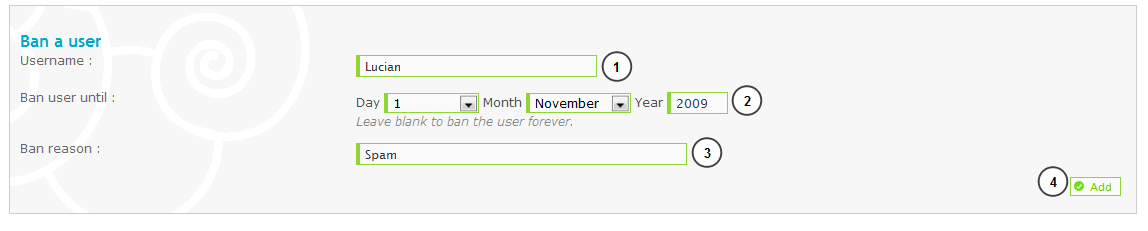 The third part is for unbanning: if you banned someone by mistake, or if you think the ban is for too long, check the IP, e-mail address or username you want, and click "unban".  Now you will be safe from spammers, flooders and disruptions of any kind. |
| This tutorial was written by The Forumotion Team |

Luky- Energetic
-
 Posts : 6106
Reputation : 264
Language : Romanian, English
Location : Bucharest, Romania

Similar topics» How do I change the old admin panel to new panel?
» Slide Panel (Log-In Panel) PhPBB3
» Can't get into admin panel of my panel...keeps logging me out
» Right Panel
» Can't Log In and AC Panel Gone
» Slide Panel (Log-In Panel) PhPBB3
» Can't get into admin panel of my panel...keeps logging me out
» Right Panel
» Can't Log In and AC Panel Gone
Page 1 of 1
Permissions in this forum:
You cannot reply to topics in this forum Facebook
 Twitter
 Pinterest
 Youtube
